Portfolio Chrystofor Tour
European tours you choose by departure date
The website of a Lviv tour operator that takes travellers, school groups and performing ensembles across Europe by coach and by plane. We designed and built it, from the tour search on the home page to the booking form that hands each request to the managers in the CRM.

Project
Chrystofor Tour
- Client
- Chrystofor Tour A tour operator from Lviv: coach and flight tours across Europe, seaside holidays, school trips and camps, international festivals and contests.
- Website
- Tour operator website in Ukrainian Live at xt.lviv.ua ↗ (opens in a new tab)
- Our role
- UX/UI design, frontend and backend Plus syncing tours from the CRM and sending enquiries back to it.
- Technologies
-
- eEgnith 8
- Laravel
- Livewire
- Tailwind CSS
Challenge
Many tours, each with its own dates and prices
The operator sells coach and flight tours, seaside holidays, school camps and festival trips. One tour departs several times a season and every departure has its own price, while a festival also has an entry fee and its rules. The site had to help people find a trip for the right dates and book it straight away.
A tour for your dates
Visitors think first about where to go and when their holiday or school break is. The search had to answer exactly that: where, when and for how many days.
Several departures per tour
The same route departs several times, and the price depends on the dates. All departures and the price of the chosen one had to be visible without extra clicks.
An itinerary that is easy to read
Multi-day tours with overnight transfers, excursions included in the price and others paid separately. Travellers need to see what they are paying for.
Tours live in the CRM
Managers keep tours, prices and photos in the CRM. The site had to take them from there and send enquiries back to the managers with no retyping.
Solution
Search by date and a booking on every tour page
Search on the home page and in sections
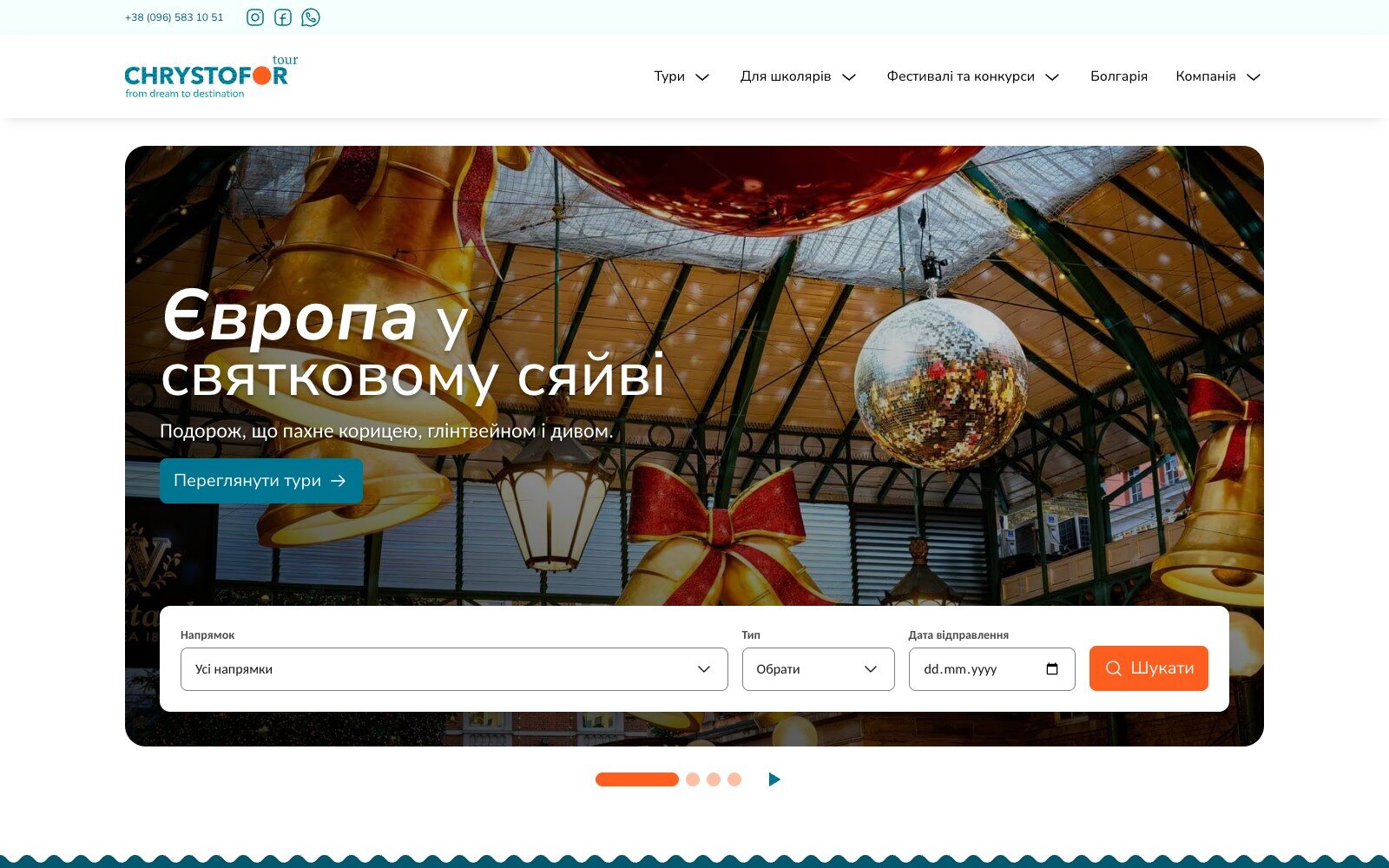
The home page opens with a slider of seasonal offers and a “Destination · Type · Departure date” form. In the sections, filters by destination, month, dates and duration offer only options with upcoming departures, and every set of filters is a link you can share.
A card with the next departure
A tour card shows the countries and cities on the route, transport, duration and the nearest dates. Several departures open as a list, and when the price depends on the dates the card shows a “from” price.
A tour page built around booking
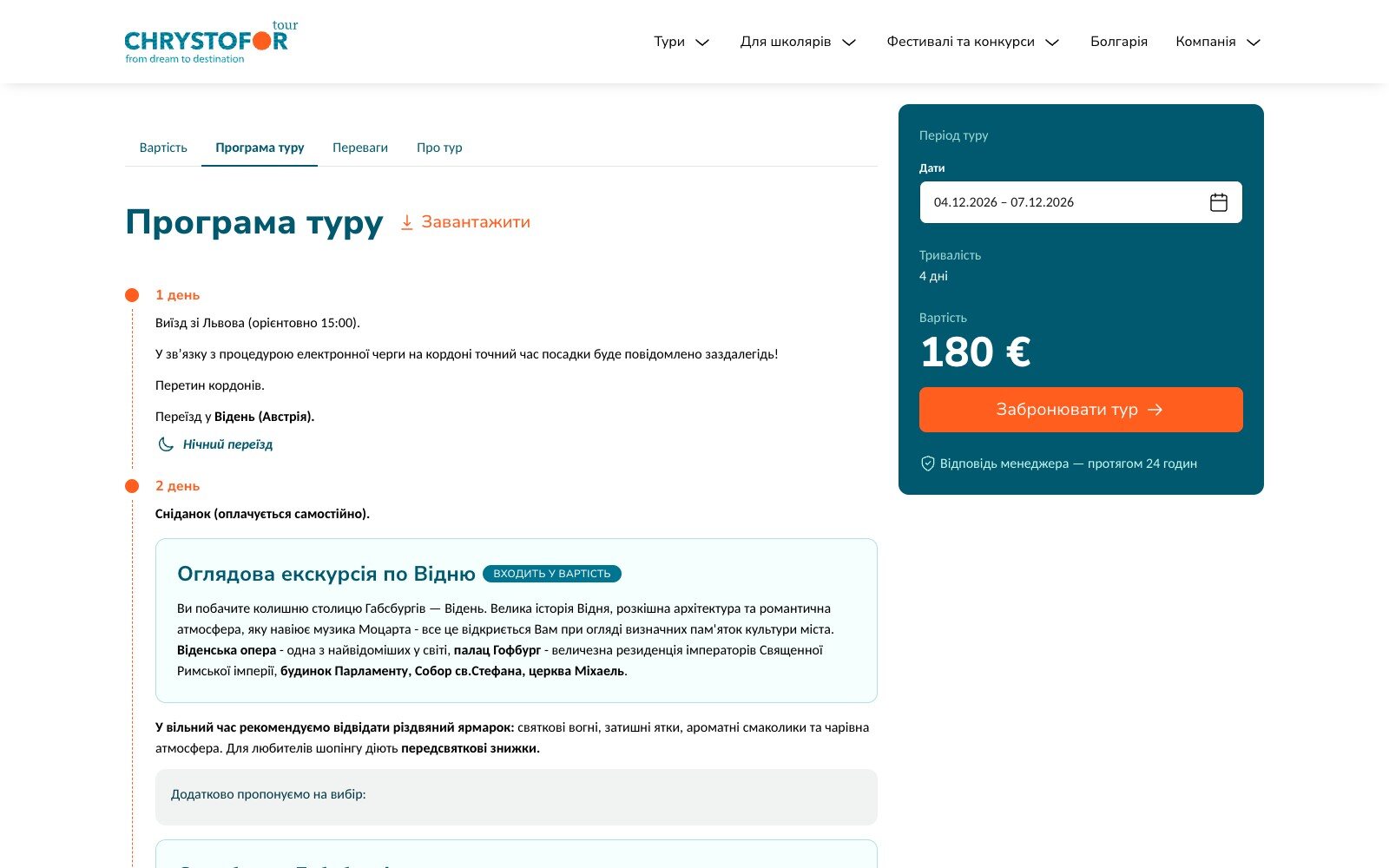
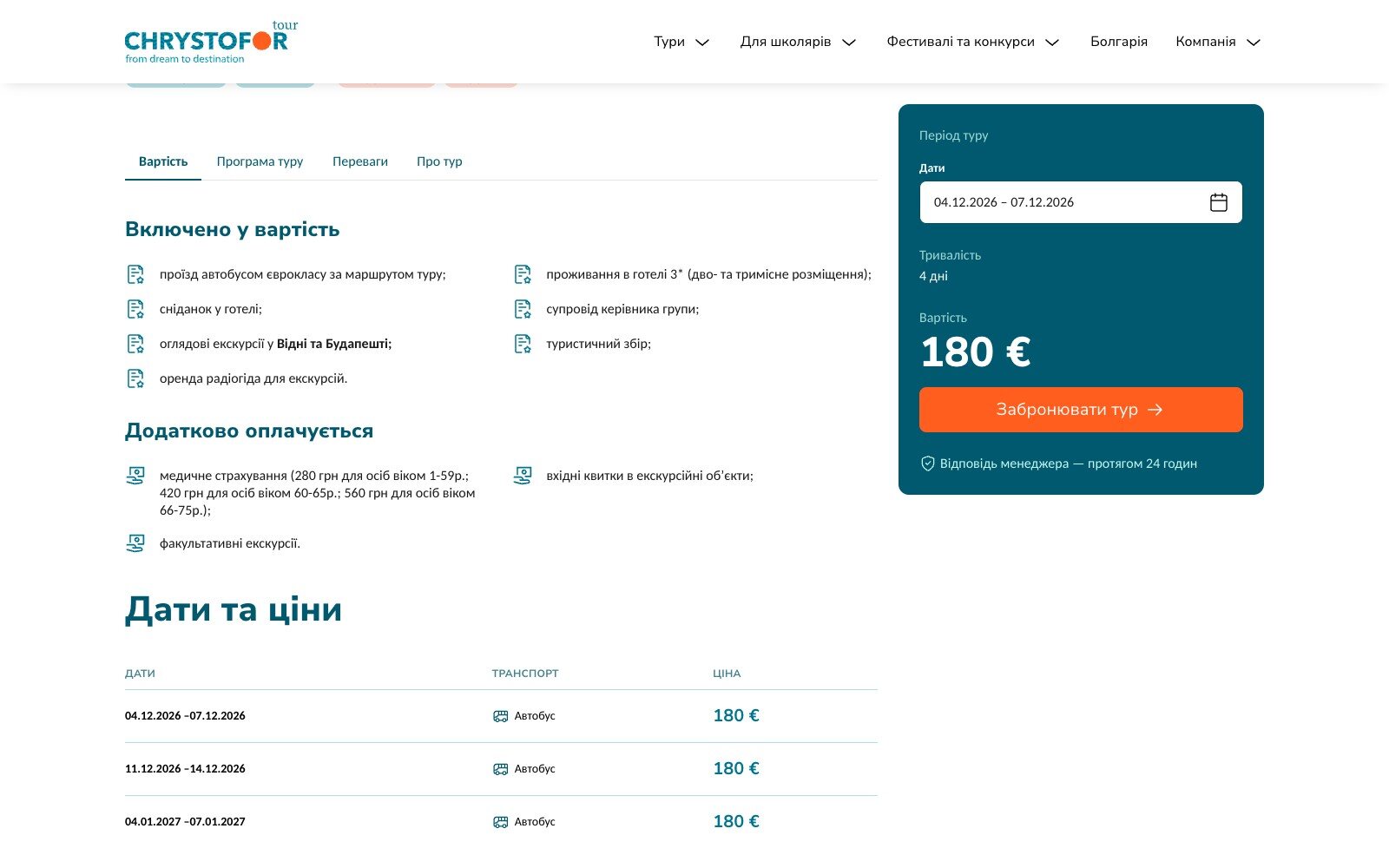
On the left, the gallery and the Price, Itinerary, Accommodation and Highlights tabs; on the right, a sticky card with dates, duration, price and a “Book the tour” button. The departure switches instantly in the card, and on a phone the price and the button stay at the bottom of the screen.
Day-by-day itinerary
Every day is a step on a timeline, marked “Overnight transfer” or “Overnight stay”. Excursions sit inside the day as separate cards with prices by age and an “Included in the price” label, and the itinerary can be saved as a PDF.
Tours from the CRM every night
Every night the site pulls tours, departures, itineraries, excursions, hotels and photos from the CRM and moves the images into its own media library. The site editor builds sections and collections from them, and the tour itself opens for editing in the CRM with one link from the admin.
Enquiries go straight to the CRM
Tour bookings, “Call me back” and the Contacts form all reach the CRM: a booking as a deal for the chosen departure, a callback as a task for a manager. If the CRM is briefly unavailable, the site retries on its own.
Screens
Inside the site
Capabilities
What the site offers
01 · 5
Catalogue
- Sections: coach and flight tours, seaside holidays, trips around Ukraine
- School trips, camps, festivals and contests
- Filters by destination, type, month, dates and duration
- Tour collections by country, city and type
- “Hit”, “New” and discount stickers on cards
02 · 6
Tour page
- Gallery with thumbnails
- Sticky card with departure choice and price
- Day-by-day itinerary with excursions and PDF export
- What is included and what is paid extra
- Departure dates and prices, plus price grids by dates, nights and age
- Separate festival tabs: rules and entry fee
03 · 5
Enquiries and CRM
- Booking with a chosen departure or custom dates
- Callback request and a Contacts form
- Enquiries sent to the CRM with automatic retries
- Nightly sync of tours, excursions, hotels and photos
- One click from the site admin to edit a tour in the CRM
04 · 5
Platform
- eEgnith 8: pages, menus and banners in the admin
- Responsive layout: cards instead of tables, price at the bottom of the screen
- Accessibility panel and a high-contrast mode
- Structured data for tours, festivals and contests
- AVIF and WebP images sized to the screen
Result
From the home page search to an enquiry in the CRM
A traveller picks a destination and dates, sees every departure with its price and the day-by-day itinerary, and books the one they want — the enquiry appears in the managers’ CRM right away.
Tours, prices and photos are entered once in the CRM and the site refreshes them on its own every night, so the site and the managers always show the same dates and prices.
The site runs in Ukrainian at xt.lviv.ua.